- >
- Modules
- >
- >
- Surface/LineSet/PointCloud Cross Contour
Module: Surface/LineSet/PointCloud Cross Contour ()
The Surface/LineSet/PointCloud Cross Contour module shows the intersection of a surface, boundaries of a tetrahedral grid, a line set or a point cloud and a cutting plane. For each triangle intersecting the plane or line in the plane a line segment is drawn. For each point or line intersecting the plane a point is drawn. The plane description is taken from a slicing module such as Ortho Slice or Slice connected to port Module (any other orange module can be used as well). Surface/LineSet/PointCloud Cross Contour can be chosen from the popup menu of an existing slicing module. It can also be chosen directly from the popup menu of a surface, a tetrahedral grid, a line set or a point cloud. In this case, an Clipping Plane module is created and Surface/LineSet/PointCloud Cross Contour is automatically attached to it.
Data [required]
Surface, tetrahedral grid, line set or point cloud to be intersected.Module [required]
Slicing module defining the cutting plane.Colormap
This port is only available if the module is connected to a point cloud. The colormap is used for pseudo-coloring. The alpha channel of the colormap will be correctly taken into account unless the option opaque has been selected. However, note that many default colormaps are completely opaque. In this case, use the colormap editor to make them transparent.
Selection
This port is only available if the module is connected to a tetrahedral grid or a surface. It allows you to restrict the number of triangles being intersected with the cutting plane. By default, all triangles of a surface or all boundary triangles of a tetrahedral grid are considered. With the Clear button the list of possible triangles can be reset. Afterwards triangles adjacent to a particular material can be added again by choosing that material from the port's option menu. With the Create Line Set button the line segments drawn by this module can be exported into a Line Set data object. The Line Set object will be added to the Project View. It then can be written into a file or can be processed further in some other way. Individual line segments will be sorted in such a way that polylines consisting of as many vertices as possible are obtained.Lines
This port is only available if the module is connected to a tetrahedral grid. It specifies whether only intersections with boundary triangles will be shown or intersections with all triangles of the grid.
Line Width
Defines the width of the intersection lines and intersection points in pixels. The displayed port label will be updated according to the type of input data (points and/or lines).Line Color
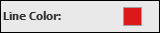
This port defines the color of the intersection lines and intersection points. The displayed port label will be updated according to the type of input data (points and/or lines). This port is not available if the module is connected to a point cloud.Filter
This port is only available if the module is connected to a point cloud. It allows you to specify an arithmetic filter expression. The filter expression is evaluated for every point. Only points for which a non-zero result is obtained are drawn. The filter expression may contain any arithmetic and logical operator defined in the C programming language. All symbols listed in the color menu may be used in the filter expression. In addition, the symbols x, y, and z are defined. These symbols indicate the coordinates of a 3D point. For example, to select all points with positive x-coordinates and with an energy.